Email Testing Tool for Developers
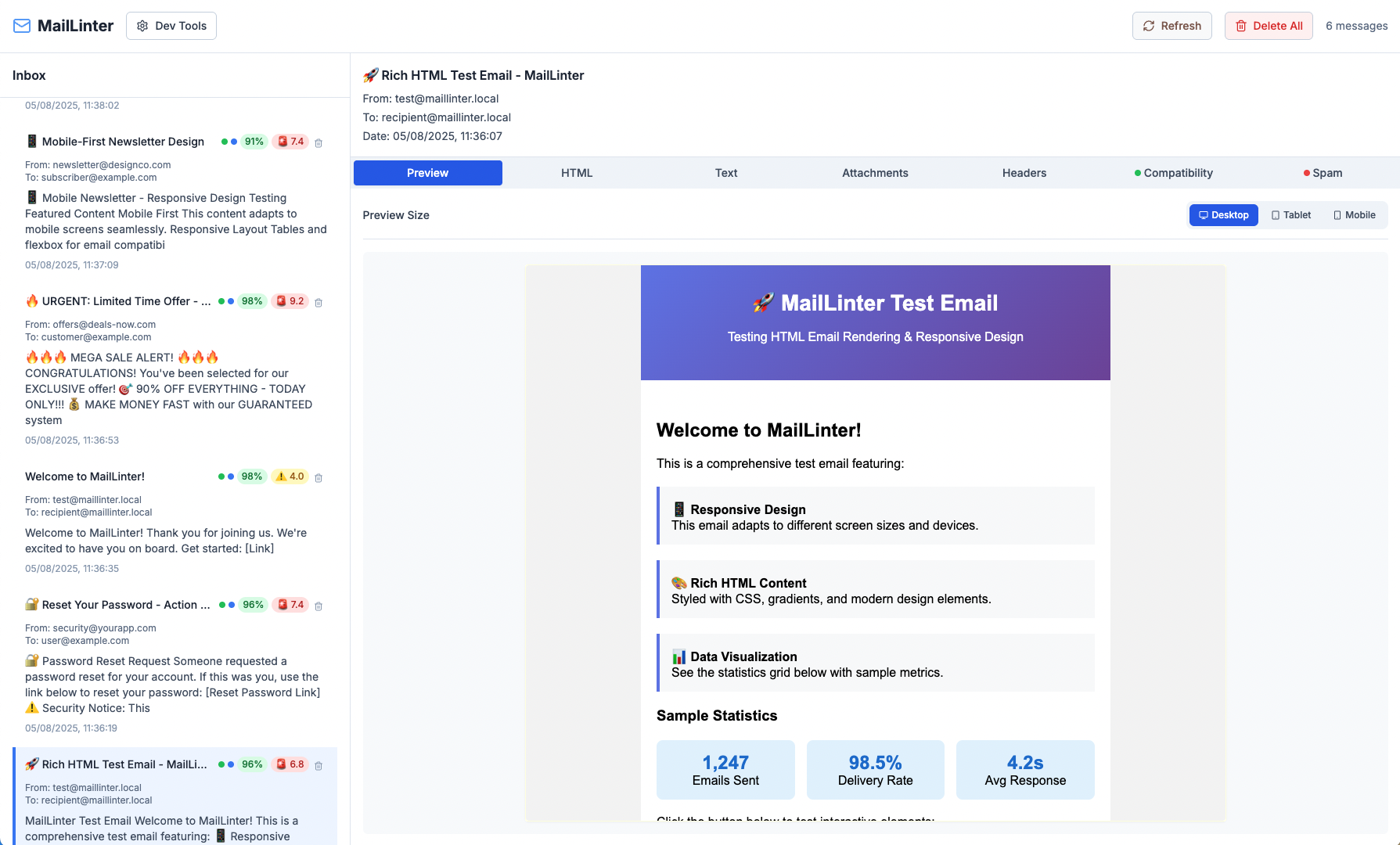
Test spam scores, WCAG accessibility, and client compatibility across Gmail, Outlook, Apple Mail & 15+ email clients. One Docker command. Zero configuration.
docker run nunomsde/maillinter→Ready in 30 seconds
Integrates with industry-standard tools
Explore Powerful Features Tailored to Enhance Your Experience
Use AI-powered analysis and comprehensive testing tools for professional email delivery. Save time and focus on content with our developer-friendly solutions.
AI-Powered Email Analysis
Get instant feedback on tone, clarity, and engagement using GPT-4o and Claude. Actionable suggestions to improve your email effectiveness.
Docker Ready
Get started in 30 seconds with a single Docker command. No complex setup or dependencies.
Spam Detection
Detailed rule breakdown and deliverability insights to ensure inbox placement.
Team Sharing
Share email tests and analysis with your team members. Collaborate on email quality together.
Accessibility Compliance
WCAG A/AA/AAA compliance checking to ensure your emails work for everyone.
15+ Email Client Compatibility
Test your emails across Gmail, Outlook, Apple Mail, Yahoo, and more. Get a complete CSS support matrix and know exactly how your email will render.
Know What Works, Where
Get instant CSS compatibility insights across all major email clients. No more guessing—see exactly what renders and what doesn't.
CSS Support Matrix
Live Analysis| Feature | Gmail | Outlook | Apple | Yahoo |
|---|---|---|---|---|
| Flexbox | ||||
| CSS Grid | ||||
| CSS Variables | ||||
| Media Queries | ||||
| Web Fonts | ||||
| Background Images |
Instant Feedback
See compatibility issues the moment you send a test email. No waiting, no manual checks.
Average compatibility score
Actionable Fixes
Get ready-to-use code snippets for each issue
display: flex;<table><tr><td>background-image: url();<img src="..." />How It Works
Get started in under 30 seconds. No account required, no credit card needed.
Start MailLinter
Run a single Docker command to spin up MailLinter locally. No complex setup required.
Send Test Emails
Point your app to localhost:2525 and send emails as usual. MailLinter captures them all.
Get Analysis
AI results analysis, checks spam score, validates accessibility, and tests client compatibility.
Ship with Confidence
Fix issues before they reach users. Deploy emails that look great everywhere.
Everything You Need to Know
Get answers to common questions about email testing, spam analysis, and how MailLinter helps developers ship better emails.
Still have questions?
Contact usStop guessing. Start testing.
One Docker command. Zero configuration. Instant results.